 Keelsheet
Schedule C Bookkeeping Ledger
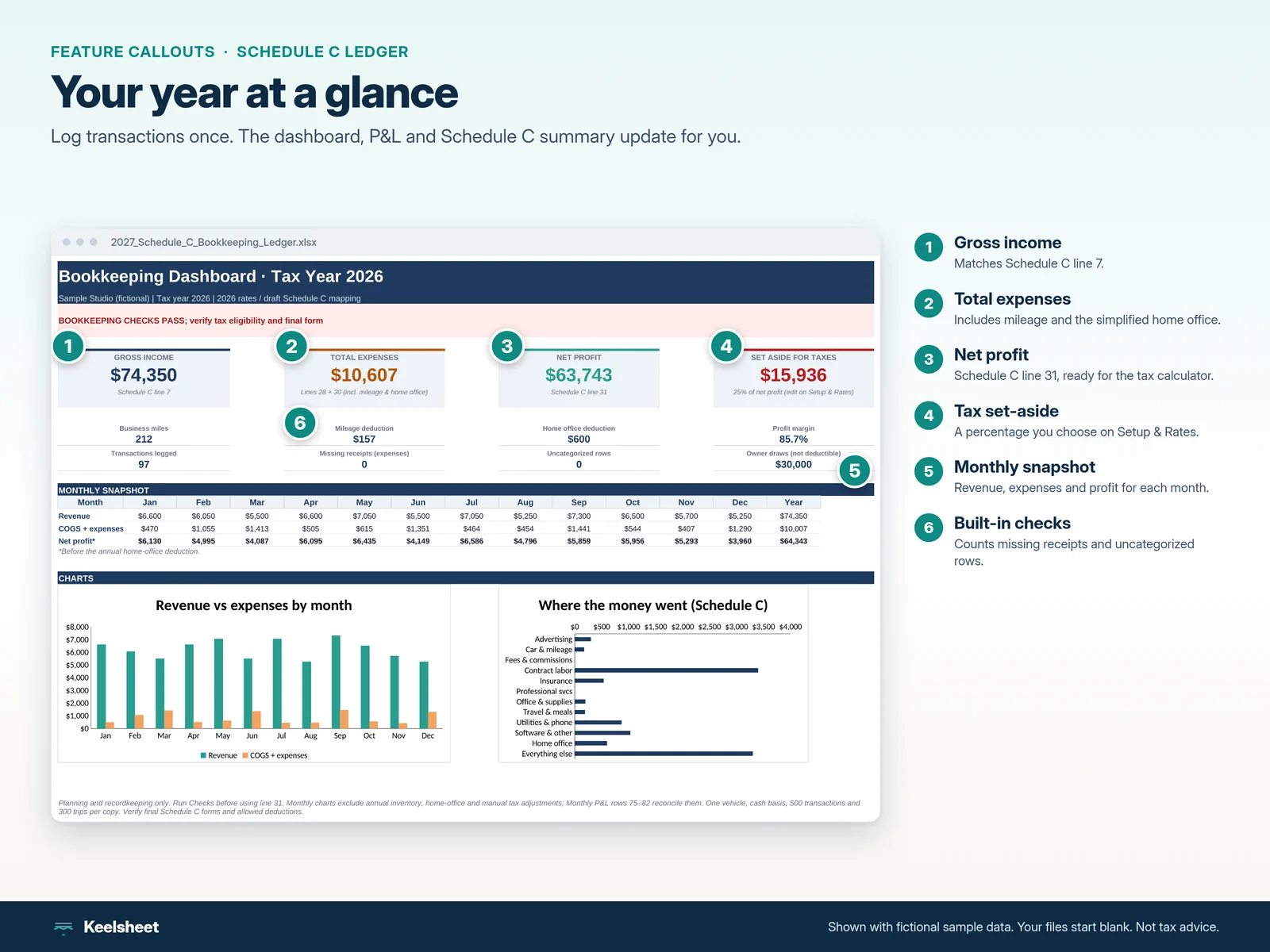
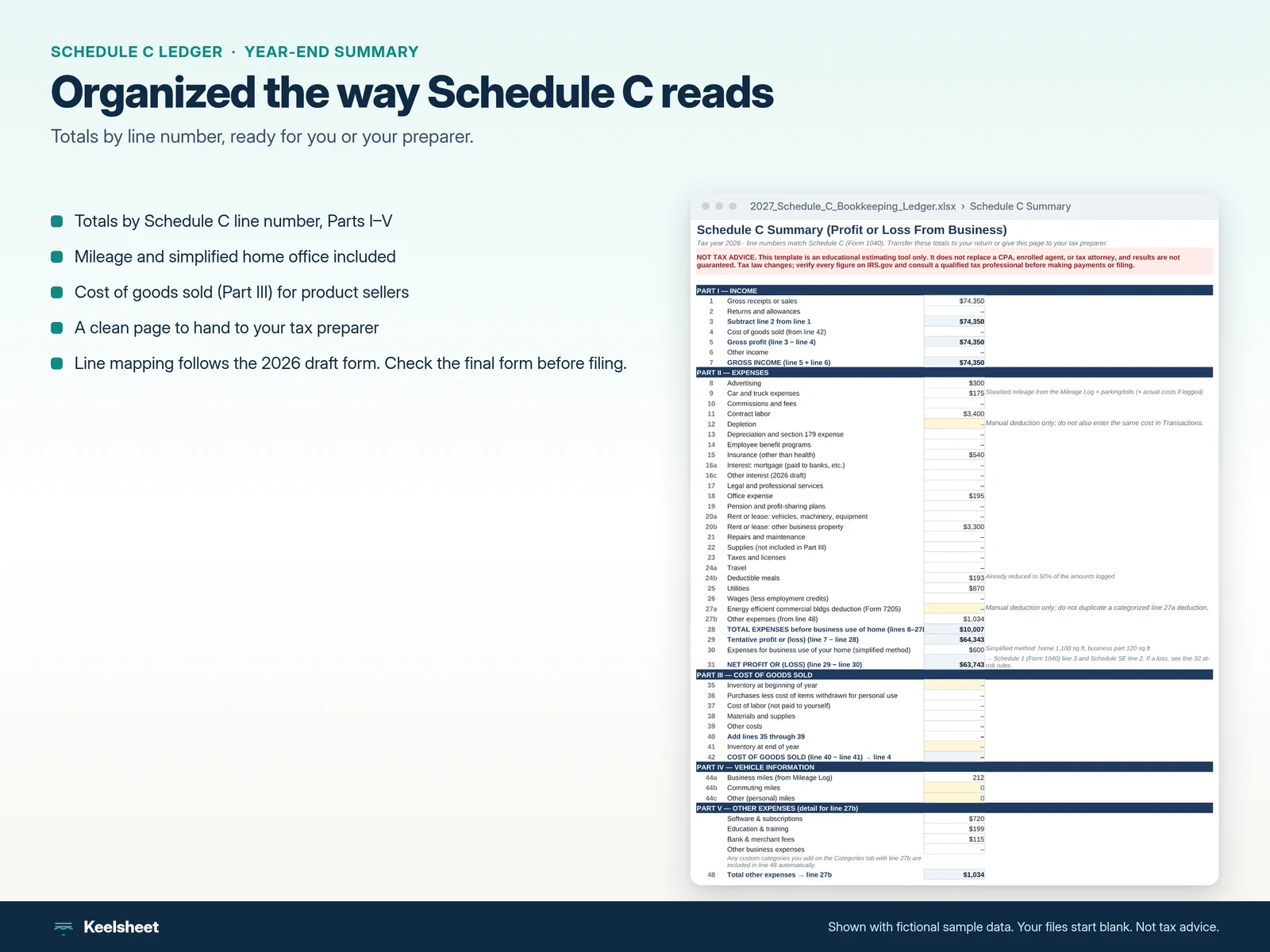
Categorize income and expenses to Schedule C lines as you go.
Included in the Tax Bundle: this ledger plus the quarterly calculator.
- ✓ Categories mapped to Schedule C lines
- ✓ Monthly and year-to-date summaries
- ✓ Receipt link column
- ✓ Profit feeds the quarterly calculator
Excel (.xlsx) · Google Sheets copy link (template updating separately) · One-time purchase · The Tax Bundle includes the calculator with official 2027 figures in Excel.
How it works
- Buy and download the Excel (.xlsx) file
- Make a Google Sheets copy from the Start Here guide if you use Sheets (template still updating)
- Fill in the yellow input cells
- Review the summary tab
- Save a copy for your records
FAQ
Does it work in Google Sheets and Excel?
Yes. Use the .xlsx in Microsoft Excel. For Google Sheets, click the 'Make a copy' link in the Start Here guide; that copy still uses the previous template until we publish updated copies. Don't upload the .xlsx to Google Drive, since converting it drops the formula protection.
Is this tax advice?
No. Keelsheet templates are organizing and estimating tools. Confirm your numbers with a qualified tax professional.
Get product updates
An email when new editions ship, plus the free estimated-tax deadline calendar. No spam; unsubscribe anytime.